Windows
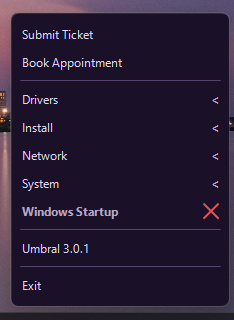
Right-click the tray icon
Tickets, appointments, drivers, installs, network, and system tools are in that menu. The version sits at the bottom.
 Umbral Software
The computer in front of you, and the shortcuts you use on it, from the tray.
TrayMax stays in the tray. Open it and the computer is there: the name, the system, the hardware, and the network, with shortcuts for the jobs you do often.
Windows and Mac use the same idea. Tickets, appointments, drivers, and the system tools open from the tray menu.
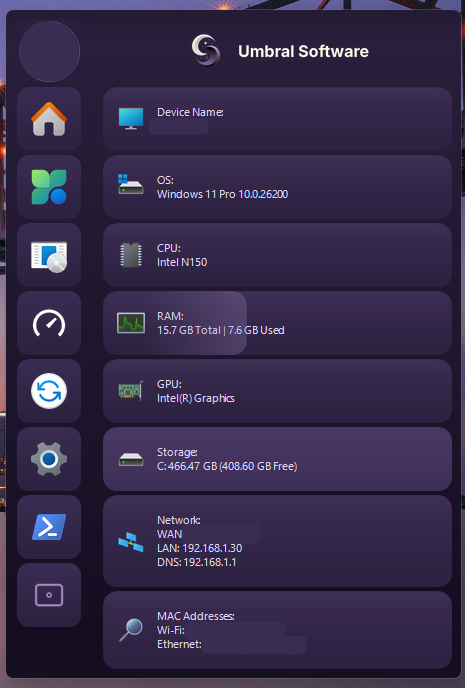
One panel for what the computer is, and a menu for what you need to do with it.
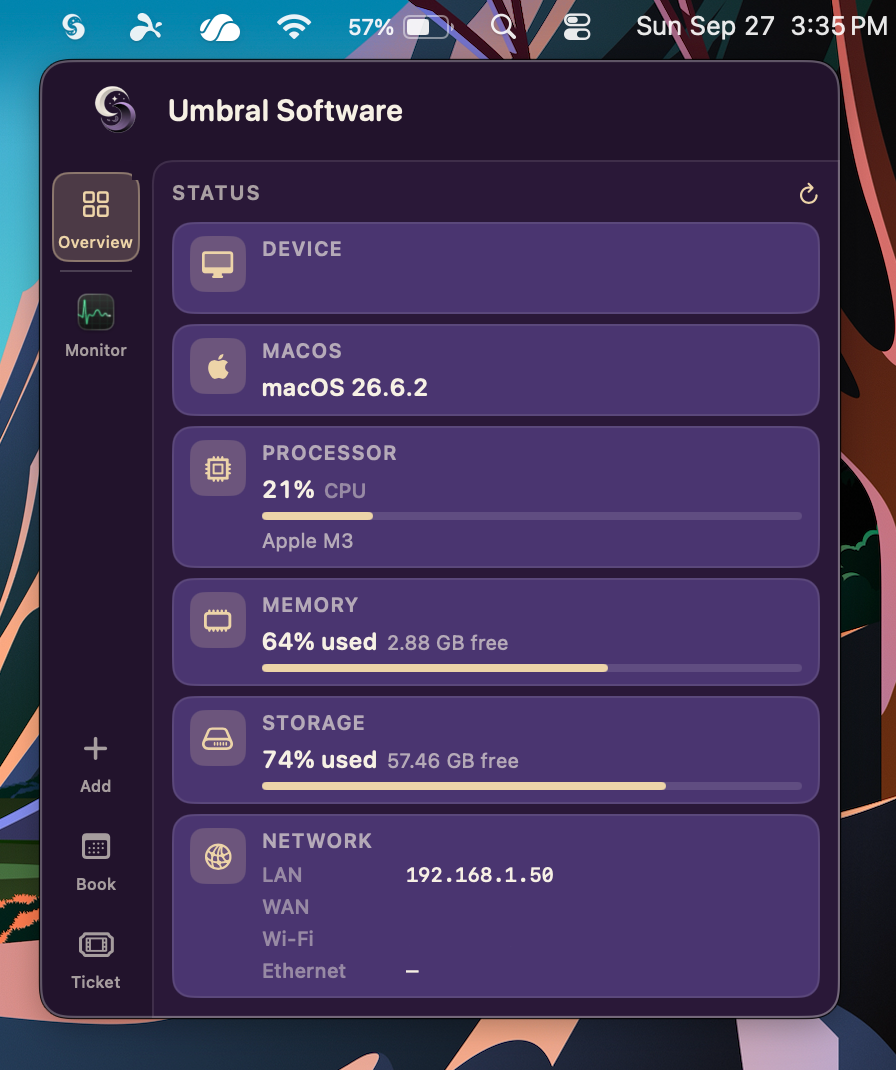
The icon stays in the tray on Windows and in the menu bar on Mac.
Tickets, appointments, drivers, installs, network, and system tools are in that menu. The version sits at the bottom.
Overview shows the Mac in front of you. Ticket and booking stay on the side, with the rest of the machine.
Questions about TrayMax? Ask anything, and we'll get back to you.
If you need support, go here.